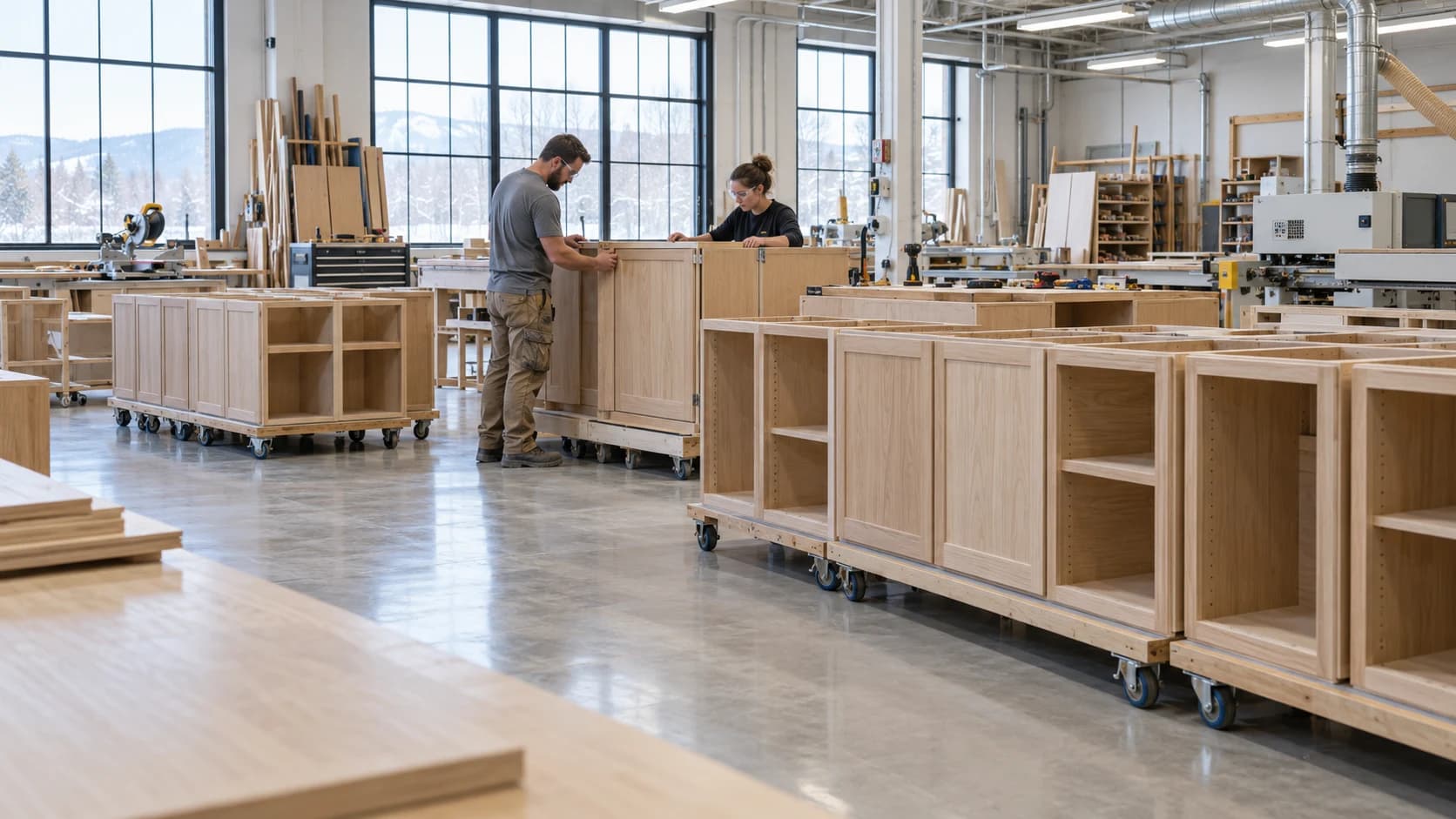
 Customer Updates Based on Actual Cabinet Job Progress
Production2 min read
Customer Updates Based on Actual Cabinet Job Progress
A useful customer update connects progress with the agreed scope and next commitment.
Archive ·Start millwork analytics with reliable job, labour, and material records, then build reports that support specific decisions.
How to Implement Real-Time Data Analytics in MillworkMillwork shops are increasingly turning to data to sharpen their competitive edge. Implementing real-time data analytics offers instant visibility into production, transforming operations from reactive problem-solving to proactive optimization. This guide outlines a practical, six-step framework for millwork shops to adopt real-time analytics, boosting efficiency and profitability. Real-time data analytics in millwork production provides immediate insights into shop floor activities as they happen. This includes live updates on machine performance, job progress, material consumption, and labor allocation. Instant visibility allows production managers to identify and address bottlenecks, reduce waste, and prevent delays before they impact schedules, giving shops a significant competitive advantage.
Photo by EqualStock IN
Before implementing new systems, evaluate your existing data infrastructure. Audit current systems, which may include ERP platforms, spreadsheets, manual logs, and direct machine outputs. Identify any data gaps in your production workflow, especially in areas like production time management and job costing for millwork. Determine which metrics are most critical for your millwork operation, such as cycle time, material usage, labor hours, and defect rates. Finally, assess your team's technical readiness and data literacy to understand what training or support will be needed.
This table compares common approaches to implementing real-time data analytics in millwork production, helping shop owners choose the right path based on their current capabilities, budget, and timeline. Understanding these options is critical for successful adoption.
Approach | Implementation Time | Upfront Cost | Best For | Key Limitations |
|---|---|---|---|---|
2-6 weeks | Low to Moderate (subscription) | Small to mid-sized shops seeking rapid ROI and industry-specific features without extensive IT. | May require some process adaptation; vendor lock-in. | |
Generic Manufacturing Analytics Software | 3-6 months | Moderate to High (licensing + customization) | Larger shops with dedicated IT and complex, diverse manufacturing processes. | Extensive customization needed for millwork specifics; higher learning curve. |
Custom-Built In-House Solution | 6-18 months | Very High (development + maintenance) | Very large enterprises with unique, proprietary processes and significant in-house development resources. | Long development time; high maintenance; requires specialized IT staff. |
Spreadsheet-Based Manual Tracking | Immediate | Very Low (software already owned) | Very small shops with low production volume and minimal complexity. | Prone to human error; no real-time insights; difficult to scale; masks true downtime (Evocon). |
ERP Add-On Analytics Module | 1-3 months | Moderate (module + integration) | Shops with an existing ERP system looking to extend its analytical capabilities. | Dependent on ERP data quality; may lack specialized millwork features. |
Seamless data integration is the backbone of real-time analytics. Connect all relevant equipment, including CNC machines, cutting stations, and assembly areas, to your chosen analytics system. Automate data feeds to eliminate manual entry errors, which can be costly; the average cost of manually processing a single invoice is $15.97 (Infrrd.ai). Digitize manual processes such as job tickets, quality checks, and material tracking. Establishing data validation protocols is essential to ensure accuracy. Companies implementing OEE based on manual data often operate with unreliable information (Fabrico.io).
Identify 5-8 critical KPIs that directly impact your millwork operation. These often include Overall Equipment Effectiveness (OEE), job profitability, on-time delivery, and material waste rates. Successful shops track these core performance metrics to measure ROI on automation (VKSApp). Design role-specific dashboards for production managers, shop floor workers, and ownership to provide relevant information at a glance. Set up real-time alerts for deviations like bottlenecks, material shortages, or quality issues. Shops using automation report completing projects in 6–7 days that previously took 10 days manually (Woodjobs.com).
Data-driven decision-making requires a skilled workforce. Conduct hands-on training for all staff levels, teaching them how to read, interpret, and act on analytics. Define standard operating procedures for responding to real-time alerts. Assign clear data ownership and accountability for key metrics. Schedule regular review meetings to analyze trends and adjust processes. This ensures everyone understands the importance of data in optimizing production time management and job costing.
Photo by EqualStock IN
After initial implementation, continuously monitor the system's performance and user adoption rates. Identify any resistance points and refine dashboards based on actual usage and feedback. Manufacturers are expected to spend US$16.2 billion on data management solutions in 2026 (SNS Insider). Expand analytics to other areas, such as inventory management, advanced job costing, and customer delivery. Measure the ROI through metrics like reduced waste, faster turnaround times, and improved profitability. Digital transformation in manufacturing delivers an average 35% ROI (Facile Technolab).
Photo by Andrey Matveev
Real-time analytics provides instant production visibility, enabling proactive decision-making.
Integrating data sources across the shop floor is crucial for accurate and comprehensive analytics.
Configuring role-specific dashboards and KPIs empowers teams to act on data.
Effective training and data-driven workflows are essential for team adoption and sustained improvement.
Continuous monitoring and optimization ensure the analytics system delivers ongoing ROI and scalability.
Photo by cottonbro studio
A woodworking schedule is easier to review when the team can see the work already recorded. Millbase Floor Pulse shows active workers, projects, workstations, and elapsed time. Pair it with project records to discuss a delayed cabinet order with the people and work behind it, and compare logged labour with the estimate.
Ask the Millbase AI agent a question grounded in your workspace records. For example: “Who is working on this project, at which workstations, and how many hours have been recorded?” You can select a project or worker, ask follow-up questions, and request supported reports and CSV exports.
Use the breakdown to prepare the next production conversation. Current activity and recorded hours are evidence for planning; they do not by themselves prove that an assembly has passed inspection or is ready to ship.
For the broader workflow and decisions behind this guide, read Production Scheduling for Custom Cabinetry.
Real-time data analytics in millwork production provides instant visibility into key production metrics such as machine status, job progress, and material usage as work unfolds. This contrasts with traditional end-of-day or weekly reporting, enabling immediate corrective actions to address issues as they arise.
Compare the current plan, user allowances, and implementation needs on the Millbase pricing page. Estimate the business case from your own baseline; no payback period or financial improvement is guaranteed.
Critical KPIs for millwork include Overall Equipment Effectiveness (OEE), job profitability by project, material waste percentage, on-time delivery rate, production cycle time, labor efficiency, and defect/rework rates. Each metric provides vital insights into operational health and areas for improvement.
Millwork shops typically see a return on investment (ROI) from real-time production analytics within 3-6 months. This rapid ROI is driven by tangible benefits like 10-20% reduced material waste, 15-25% faster job turnaround, and more efficient labor allocation. Factors like existing data infrastructure and team readiness can influence the exact timeline.
No, modern analytics platforms are designed to integrate with your existing systems rather than replacing them. They connect with ERP, accounting, and machine systems through APIs or data imports, allowing for gradual migration and leveraging your current technology investments.
Millbase connects projects, people, workstations, recorded labour, material costs, and inventory. The Millbase AI agent can answer questions from workspace records and produce supported reports. Evaluate those workflows with a representative cabinet job and confirm any additional requirements in a demonstration.

Writing about woodworking, millwork, and the operations behind a better-run shop.
Connect on LinkedInExplore how Millbase connects projects, people, inventory, and labor records.
Book a live demoCustomer Updates Based on Actual Cabinet Job ProgressA useful customer update connects progress with the agreed scope and next commitment.
Archive ·Managing Planned Maintenance in a Cabinet Production SchedulePlanned maintenance consumes capacity and should be visible before jobs are promised.
Archive ·Shift Handoffs in a Woodworking FactoryA shift handoff should preserve the state of work, open problems, and the next safe authorized action.
Archive ·